

Xynova Prima 1
Understand this hand
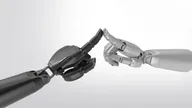
Xynova Prima 1 is a biomimetic hand whose public page describes a 22-DOF configuration, direct-drive design and five-finger visuo-tactile sensing.
- What distinguishes it
- The product page describes capabilities; the Prima 1 learning path helps turn them into a task and evidence plan. The planner does not operate hardware.
- Before you build
- Confirm independently commanded axes, sensor data access and the exact released SDK or simulation assets before planning integration. The public total DOF figure does not establish the number of independently commanded axes.
Evidence review · 2026-09-25
Manufacturer, author and seller statements checked against public sources. This is not an independent hardware test. Fields outside this review retain their earlier evidence dates.
- Model / DOF
- 22 total DOF; active-axis count not inferred Source ↗
- Weight
- No weight stated in checked product page; no number inferred. Source ↗
- Sensing / software
- Five-finger visuo-tactile sensing described; SDK release not validated. Source ↗
- Load / scope
- Website states 15 N fingertip force and up to 20 kg lift; not a general continuous payload guarantee. Source ↗
- Price / availability
- No pricing published here; delivery unconfirmed. No internal commercial data used. Source ↗
Specifications
Record source date: 2026-09-22
Active / total DOF: — / 22
Five-finger visuo-tactile sensing
Weight basis: Not stated in the linked public page
Availability / status: Manufacturer product page
Evidence limits: Manufacturer statements, not independent tests. Active-axis count is not inferred from total DOF.
Start with Xynova Prima 1
Establish exactly what your delivered software exposes before planning a grasp or data-collection experiment.
Public manual V1.4 page 5 lists SDK, ROS 1 / ROS 2, URDF, MuJoCo and Isaac Lab support. These are manufacturer statements; this guide has not verified a downloadable software release or a completed hardware test.
Sources reviewed 2026-10-03 · no hardware connection from this pageBefore you start: versions and requirements
Prima 1. The public English download listing includes Product Manual V1.4. Record the supplied hardware, firmware and SDK versions separately; a manual revision is not a software release.
- The public manual and the documentation supplied with your exact configuration.
- A confirmed API reference, installation instructions and sample program from the provider.
- A joint/action map and a description of accessible sensor channels, timestamps, units and calibration.
Read the public baseline
Read page 5 of the public English manual for manufacturer-stated software support. The advertised total DOF is not an API action dimension; confirm the exact package and interfaces for your unit.
Public Prima 1 manual V1.4Resolve the developer-package gaps
Confirm supported operating system, interface, API version, commanded axes, signal units, model files and sample availability. Mark unavailable items explicitly instead of assuming another hand’s SDK will work.
Check the documented developer packageSpecify the first observation test
Once the matching package is available, follow its commissioning instructions and plan an observation-only log before a motion trial. Capture only channels actually exposed by your configuration. Record missing channels as unavailable.
Plan the first Prima 1 experiment
What counts as a useful result?
- Hardware, firmware, SDK and manual revisions are recorded independently.
- Available commands and sensor outputs have documented names, units and timing.
- Any missing package or signal is recorded as a blocker; the setup is not presented as hardware-tested.
If something does not work
- No released example in hand
- Pause execution planning until the provider supplies the matching package. This page cannot replace device documentation.
- Total DOF versus action vector
- Use the actual independently commanded axes and their conventions, not the marketing DOF count.
- Sensor capability versus data access
- Confirm frame format, calibration and timestamps for your delivered sensor configuration. Do not infer force measurements from images alone.
Prepare an experiment report
Fill in observed results and failures. Keep credentials, serial numbers and confidential designs out of public reports.
Enable JavaScript to continue to the discussion editor, or copy this template manually.
Guide updates
· Checked public manual V1.4 software support and added a package checklist, observation-first workflow, native downloads and a result checker.
Software, projects & datasets
What is ready to build with?
SDK, ROS 1 / ROS 2, URDF, MuJoCo and Isaac Lab are listed in public manual V1.4, page 5.
Public manual ↗No model-specific public SDK or simulator release has been verified here. Ask for the exact package and installation example.
Dexhands has not reproduced a software setup or hardware test for this record. Published support is not a test result.
Curated public references, checked 2026-09-22. Links describe a model or family relationship, not hardware-tested compatibility.
Model-specific public software or research links have not been verified yet. See the product sources or suggest a resource with its exact hardware revision.
Build your first Prima 1 experiment →
Learn to audit a model-to-hand interface →